Media Rewards is a free app from Beatgrid that rewards you for the TV, streaming and radio you already watch and listen to. This guide walks through how Media Rewards works from install to a redeemed gift card, how to withdraw your rewards, and what proof of payment looks like.

What is the Media Rewards app?

Media Rewards is a survey and rewards app. Its main feature, called Media Research, runs in the background and detects the ads you are exposed to on TV, YouTube, Netflix, Hulu, Amazon Prime, Disney+ and radio. Brands pay for this research so they can see how well their ads perform. That money funds your rewards. The app does not record conversations. It only identifies predefined ad jingles. Learn more about the company on our About page.

How Media Rewards works, step by step

  1. Install the app. Download it from Google Play or the Apple App Store.
  2. Create your account. You will be asked for your email address, age, gender and postal code. You can add optional details like occupation, education, household and shopping habits to unlock more relevant surveys.
  3. Turn on Media Research. Allow microphone access. The app converts ad jingles into a digital code and matches it against a database of known ads. Media Research must stay on to earn and to qualify for premium surveys. It uses about 1% battery per hour and under 100KB of data per day.
  4. Watch and listen as usual. Points build up automatically while the app runs in the background. No forms, no hassle.
  5. Fill your weekly bar. Each week, keeping the app running while you watch TV or streaming fills a bar in the Media Research section. Reaching the top unlocks a crown, and each crown is one ticket into the draw. Points are gathered at the end of each week and month and enter 3 weekly prize draws and 1 monthly prize draw. See how the prize draws work.
  6. Answer survey invitations. Premium surveys are offered based on your points and profile. Invitations arrive by email and push notification and stay open for a limited time, so respond quickly.
  7. Invite friends. A friend who joins through your link receives $2, and you both get better chances in the prize draws.
  8. Redeem in the Shop. Exchange your balance for a gift card. The steps are below.

How to withdraw Gift Cards from Media Rewards

Media Rewards does not pay out to a bank account or wallet. You withdraw by buying a gift card with your Coins in the app. Here are the exact steps from our redemption guide.

  1. Open the app and go to the Shop section.
  2. Choose a gift card and buy it with your Coins.
  3. Confirm the order. You will be asked for your phone’s PIN or pattern. Media Rewards does not store this information.
  4. Enter the security code sent to your registered phone number.
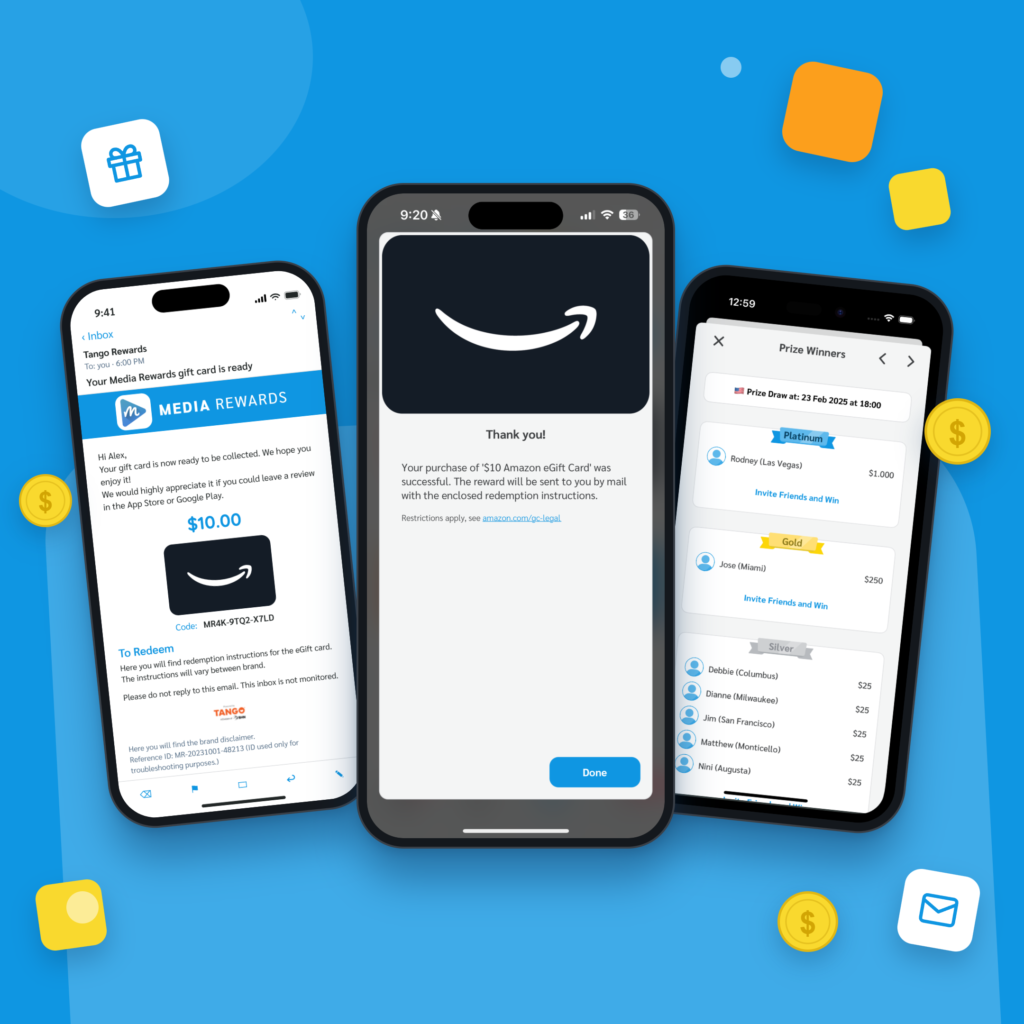
  5. Upon successful verification, the gift card is sent to your email. Your order appears on the Transaction page.

Gift card brands named on our site include Amazon, Walmart, Starbucks, Best Buy and Macy’s. The Tango Reward Link option, through our partnership with Tango, gives access to over 1,500 physical and digital gift cards, prepaid cards and charitable donations. Our site does not state a minimum redemption amount or a fixed delivery time, because each gift card shows its price in Coins in the Shop.

Media Rewards payment proof

Prize draw winners are published on the in-app Winners List with the tag “You” and their reward amount, and they receive a notification. Winners are also announced on our social channels. If you want to know more about how the app is run and how it protects your data, read Is Media Rewards legit? and our privacy page.

Tips to earn more

  • Keep Media Research on. If it is off, you are not earning and you will not be invited to premium surveys.
  • Complete your optional profile so surveys match you better.
  • Respond to survey invitations the same day. They close.
  • Fill the weekly bar every week to collect up to four crowns a month.
  • Share your referral link.

Frequently asked questions

Install the app from Google Play or the App Store, create an account with your email, age, gender and postal code, then turn on Media Research and allow microphone access. Watch TV and streaming as normal, answer survey invitations when they arrive, and redeem your Coins for gift cards in the Shop.

Go to the Shop, choose a gift card and buy it with your Coins. Confirm with your phone PIN or pattern, enter the security code sent to your phone, and the gift card is emailed to you. Media Rewards pays in gift cards and prize draws, not bank transfers. Orders show on the Transaction page.

The gift card is sent to your email upon successful verification of your order. Our site does not publish a fixed delivery window, so check the Transaction page for your order status. Prize draw results are posted on the in-app Winners List after each weekly and monthly draw, and winners receive a notification.

More Articles

Earn rewards for the TV and videos you watch.

Get the free app